Magic Mirror Photo Booth Reviews: What to Look For
A Magic Mirror review is most useful when it describes what guests did and how the booth was run. A short five-star rating tells you someone was happy. A review that mentions the mirror, the prints and the person running it gives you details you can compare with your own plans.
What Magic Mirror reviews can tell you
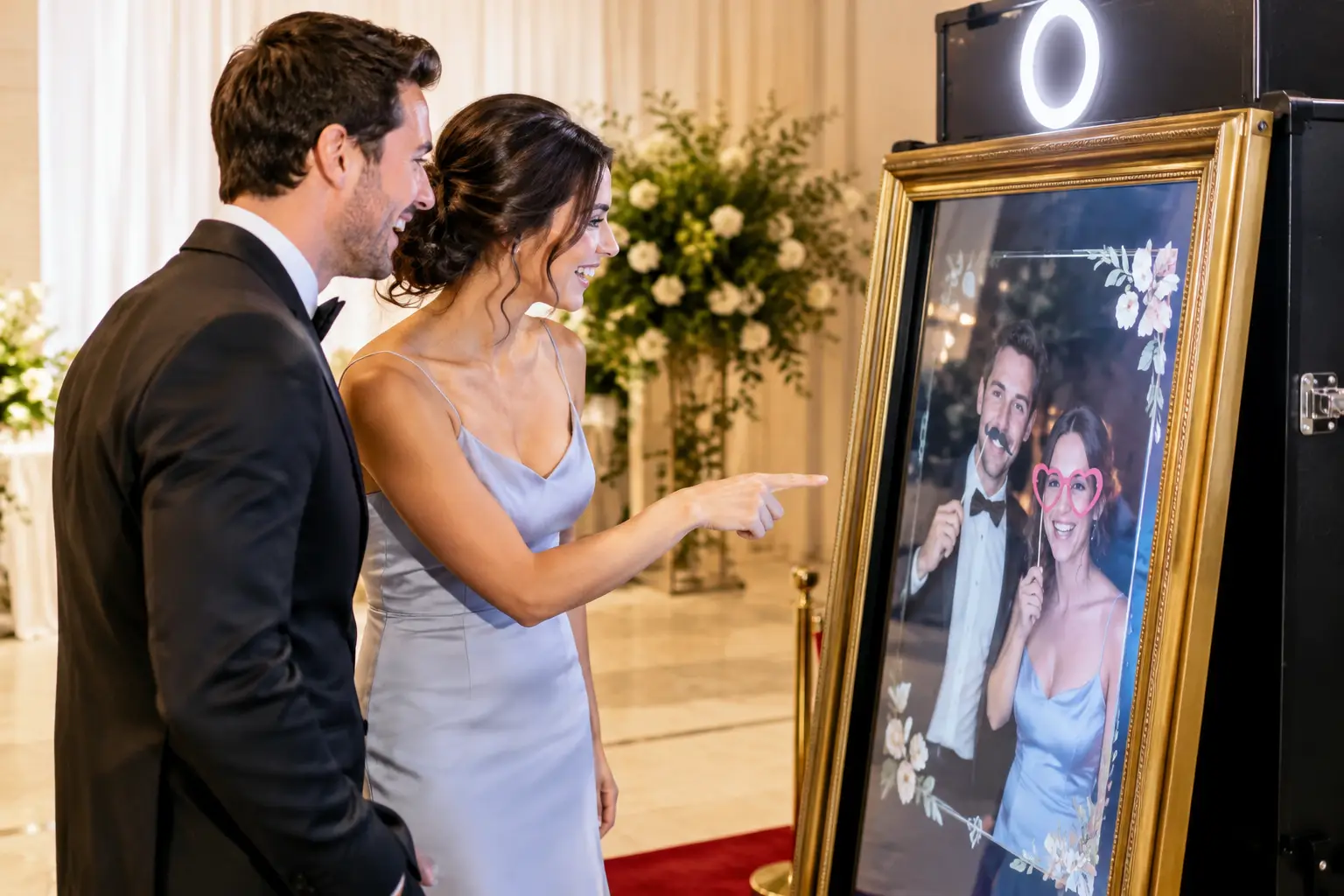
Photo booth reviews can describe different equipment. Look for a review that names the Magic Mirror if you want to know how guests found the full-length touchscreen. With our Magic Mirror, guests use the screen to start their session and can take home an instant printed photo.
In a Google review, Sophie Wood identified the Magic Mirror as the booth she hired for her party and praised Lajos’s communication throughout. Her feedback is useful if you want to know how the experience was coordinated as well as how it looked on the night.
Read what guests and organisers say about the host
At a busy reception, guests will arrive in small groups and some will need help getting started. Look for comments that explain whether staff welcomed guests, showed them what to do and kept the booth running while the organiser was busy elsewhere.
Our hosted hire includes an attendant, setup and pack down. Tell us who will handle venue access and when the room becomes available, so the attendant can have everything ready for the agreed start.
Before comparing reviews, check what kind of event the reviewer hosted. A family party with a flexible schedule tells you something different from a wedding with a room change between dinner and dancing. A useful review might mention when the booth was ready or how staff helped guests understand what to do. If the review only says the booth looked good, ask the supplier how setup and hosting would work for your venue.
Check what the review says about the prints
A review that mentions people taking photographs home tells you something specific about the experience. If it mentions a guest book, extra copies or particular props, ask what was included in that customer’s booking and what is available for yours.
For our Magic Mirror, instant prints are part of the photo experience. Ask about print layouts, the online gallery and any props or backdrop you’d like so your quote reflects the setup you want.
Ask how guests will get their photos after the event and who receives the gallery link. If you want a guest book, discuss how guests would add a print and leave a message, and check whether that changes what you need to order. For an event with a theme, send a colour reference or sample invitation and ask which parts of the design can be personalised. Get the print arrangements and optional items confirmed in the quote.
Compare the venue with yours
The best reference may be an event with a room or schedule similar to yours. Think about where guests will pose, where a small group can wait and how they will walk back to the dance floor or tables. Share a room plan or a few venue photos if you have them.
Think about the space in three parts. The supplier needs room for the equipment, guests need room to stand back for photographs, and anyone waiting needs a place to stand clear of the route through the venue. Ask for the footprint of the complete setup, including a backdrop if you want one. Check steps, lift access and the loading route with your venue coordinator. A clear floor plan helps more than a photograph of an empty room.
For example, imagine a reception where the only visible corner is beside the bar. A mirror there might attract guests, but a queue could cross the route staff use to carry drinks. Check whether a nearby wall would give guests a clear view of the booth while keeping that route open. If space is tight, compare both positions with the supplier before choosing the equipment.
Compare the mirror with other formats
Choose the Magic Mirror if a full-length touchscreen and instant printed photographs suit the way you want guests to take part. If you are drawn to a wooden finish, look at the Retro Mirror as well and ask which setup works in your room. If you have a smaller footprint, compare the compact Selfie Pod and ask what photo delivery options come with the package you are considering. For short digital clips, consider the 360 Video Booth and allow room for its operating area.
When comparing reviews across formats, look at what the reviewer actually took home and whether they mention the layout. A review of a print-enabled setup helps you judge the print experience. A review of a 360 session helps you judge the video experience. For a wedding, our photo booth examples give you another way to compare the formats before you ask for a quote.
Take these questions to your supplier
- Which booth is shown in your photos and named in the reviews?
- How much room do you need for the equipment, guests and a queue? What changes if we add a backdrop?
- Who operates the booth and how do they help guests during the event?
- What are the print arrangements and how do we receive the online gallery?
- Which props, layouts or other extras are included in our quote?
- When do you need access, and can you work around a room change or speeches?
Include your date, venue, expected guest count and the part of the event you want covered. If you are unsure which mirror works in the room, ask the supplier to explain what would change between setups. You can then compare quotes on the experience each one will deliver.
Explore our Magic Mirror photo booth for the equipment details. If you have a date and venue in mind, request a personalised quote and tell us what matters most to you.