
Photo Booth With Instant Prints: What to Expect
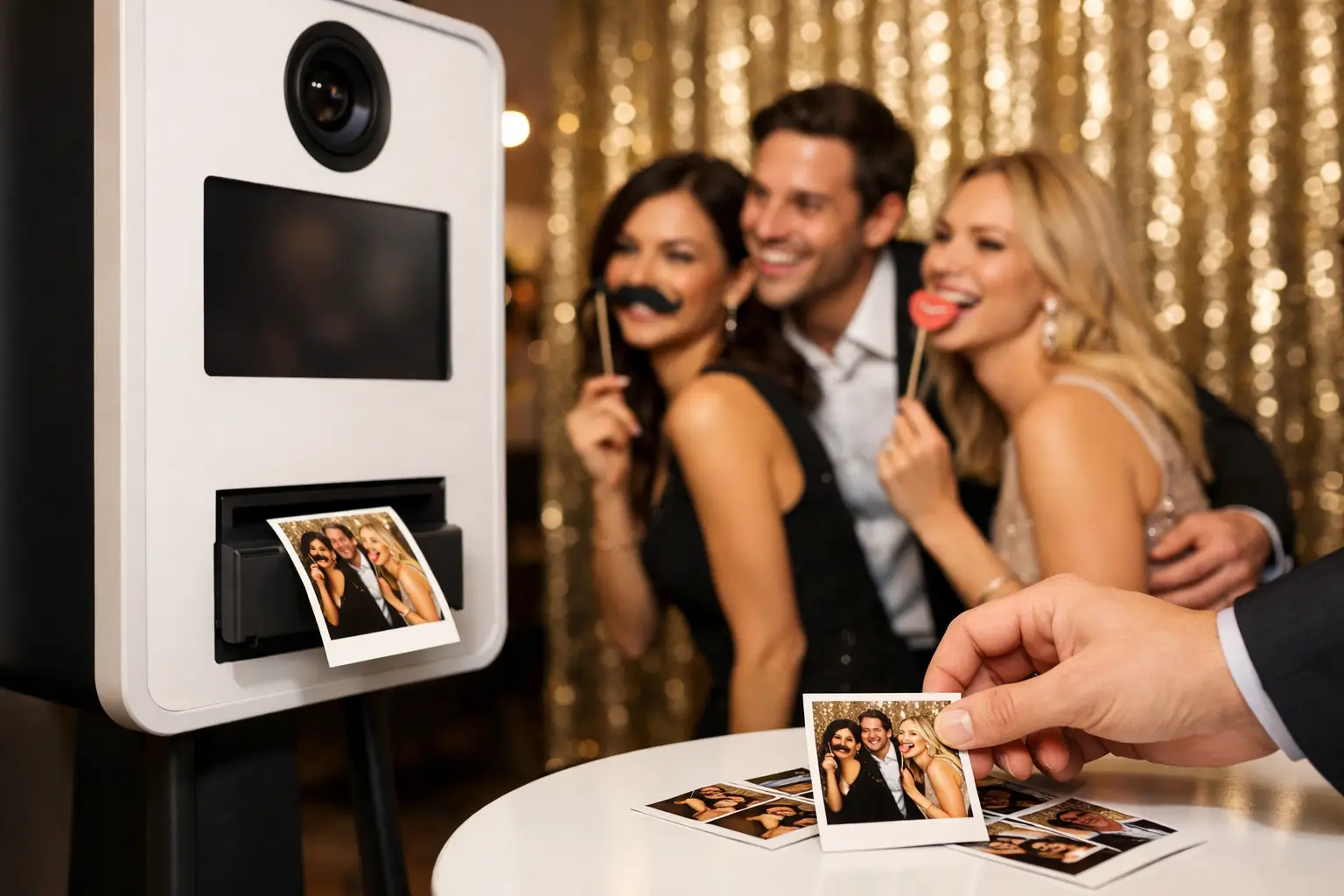
A photo booth with instant prints gives guests a physical photograph during the event. They can take it home, place a second copy into a wedding guestbook or keep it on their desk after a company celebration.
Printed photographs can also be combined with digital delivery. However, packages differ in print size, number of copies, design options and the way completed photographs are distributed.
How does instant photo booth printing work?
Guests complete a photograph sequence inside the booth. The software arranges the selected images into the approved template and sends the finished design to the printer.
The process normally involves:
- starting the booth session;
- taking one or more photographs;
- applying the selected layout or effect;
- creating the finished print design;
- sending the file to the printer; and
- collecting the completed photograph.
The exact process varies between booths. Some allow guests to choose a layout or filter, while others use one consistent design throughout the event.
How quickly are photographs printed?
Professional event printers are designed to produce photographs quickly. However, the complete waiting time includes image capture, processing and printing.
Speed can be affected by:
- the number of photographs in each sequence;
- the selected template;
- the printer and media;
- the number of copies required;
- guests remaining at the collection point; and
- the way the queue is managed.
An attendant can direct completed groups away from the posing area while the print is produced. This allows the next guests to prepare without blocking the booth.
What print formats are available?
Photo booth prints can use several layouts. Availability depends on the booth package and printer.
Common options include:
- traditional photo strips;
- postcard-style prints;
- one large photograph;
- two or more images within one layout;
- landscape or portrait formats; and
- custom corporate or wedding templates.
The layout should suit the number of photographs in the sequence. Trying to fit too many images into a small print can make faces and text difficult to see.
How many copies does each group receive?
Print arrangements vary between suppliers and packages. Some setups provide a fixed number of copies for each session, while others may produce additional copies for the people in the photograph.
Before booking, ask:
- how many copies are produced per session;
- whether every person receives a copy;
- whether reprints are available;
- whether one copy is reserved for a guestbook; and
- whether the final digital file is also included.
This is particularly important at weddings, where larger friendship or family groups may expect several copies.
Can instant prints be personalised?
Yes. The template can usually include details connected with the event.
Wedding personalisation may include:
- the couple’s names;
- the wedding date;
- a monogram;
- colours matching the stationery; and
- a short message.
Corporate designs may use:
- an approved logo;
- brand colours;
- an event name;
- a campaign message;
- a hashtag; or
- sponsor branding.
The photograph should remain the main part of the print. Large logos and excessive text can make the design feel crowded and reduce the space available for guests.
Approve the print design before the event
The organiser should receive a design proof before the template is finalised. Check:
- names and spelling;
- the event date;
- logo quality and proportions;
- colour contrast;
- the size of the photographs;
- the readability of any text; and
- the position of important elements.
Review the design at the approximate finished print size. Text that appears clear on a large screen may become difficult to read when printed.
What affects photo booth print quality?
Print quality begins before the printer is used. Lighting, camera position and the backdrop all affect the finished result.
A clear print depends on:
- flattering and consistent lighting;
- correct camera focus;
- appropriate guest positioning;
- a clean background;
- a well-designed template;
- properly maintained equipment; and
- suitable print media.
Ask to see photographs of real event prints rather than only digital mock-ups. This gives a better indication of the finished colours, sharpness and layout.
Instant prints at weddings
Printed booth photographs provide informal keepsakes alongside the professional wedding gallery. Guests can take photographs with relatives, friends and other people they meet during the reception.
A hosted wedding photo booth can also support a photographic guestbook. One copy is placed into the book, and guests write a message beside it.
This works best when an attendant helps organise the process. Without guidance, guests may take every copy before one is added to the book.
How does a photo guestbook work?
The guestbook should be placed near the booth without obstructing the queue. Pens, adhesive and enough table space need to be available throughout the hire.
A typical process is:
- guests take their photographs;
- the attendant separates the guestbook copy;
- the photograph is placed into the book;
- guests add a written message; and
- the completed book is given to the couple after the hire.
Confirm whether the book, adhesive and additional print copy are included in the package.
Instant prints at corporate events
Printed photographs can provide a physical reminder of a company celebration, conference or branded activation. They may include an event identity without turning the entire image into an advertisement.
A corporate print template can be useful for:
- awards evenings;
- company anniversaries;
- staff parties;
- client events;
- product launches; and
- exhibitions.
The design should be approved by the appropriate organiser or marketing team. Sponsor logos and campaign messages need enough space and should remain readable at the final print size.
Do instant prints need an internet connection?
Printing usually happens locally at the booth and may not require an internet connection. However, digital delivery and gallery uploads normally depend on Wi-Fi or mobile data.
This means guests may still receive their physical print even if the venue connection is temporarily unavailable. Digital copies may be queued until the connection returns.
Ask the supplier how printing and sharing behave when internet access is weak.
Can guests receive a print and digital copy?
Many events benefit from providing both. Guests leave with a physical photograph and can also receive a file for their phone.
The print offers an immediate keepsake. Digital delivery allows the image to be saved, sent to friends or shared where appropriate.
The separate guide to a photo booth with digital sharing explains the available delivery methods, internet requirements and privacy considerations.
Which booth formats provide prints?
Print availability depends on the selected package rather than the booth name alone.
Traditional photo booth
A traditional booth is commonly associated with printed photo strips or postcard-style layouts. It can work well for weddings, family celebrations and company parties.
Magic Mirror
A Magic Mirror can combine full-length photographs with an interactive screen and printed results. It suits events where the equipment also needs a strong visual presence.
Selfie Pod
A Selfie Pod is often designed around digital content, although some configurations may support printing. Confirm the available output before booking.
360 video booth
A 360 booth normally creates digital video rather than physical photographs. It is not usually the first choice when instant prints are the main priority.
Why an attendant matters
An attendant helps keep the print process organised. They can:
- prepare groups for the next session;
- monitor the printer;
- replace print media when required;
- distribute copies;
- manage the guestbook;
- explain digital delivery; and
- resolve minor problems.
This prevents guests from crowding around the printer and reduces delays during busy periods.
Questions to ask before booking
Ask the supplier:
- Which print sizes and layouts are available?
- How many copies does each group receive?
- Is a custom template included?
- Can we approve the design before the event?
- Is an attendant included?
- Is a guestbook available?
- Are digital copies included?
- What happens if the printer needs attention?
- Are delivery, setup and collection included?
Choosing a photo booth with instant prints
A photo booth with instant prints provides both entertainment and a physical keepsake. The result depends on more than the speed of the printer. Lighting, design, booth hosting and the number of copies all affect the guest experience.
Gatwick Sound Photo Booth provides hosted print and digital booth experiences for weddings, parties and corporate events across London, Sussex, Surrey and Kent.
View the available photo booth services or request a custom quote for your event.