Instant QR Sharing Booth: How It Works at Events
Guests often want to receive their photo booth content before returning to the dance floor, bar or conference programme. An instant QR sharing booth can provide a quick route from the booth screen to a mobile device.
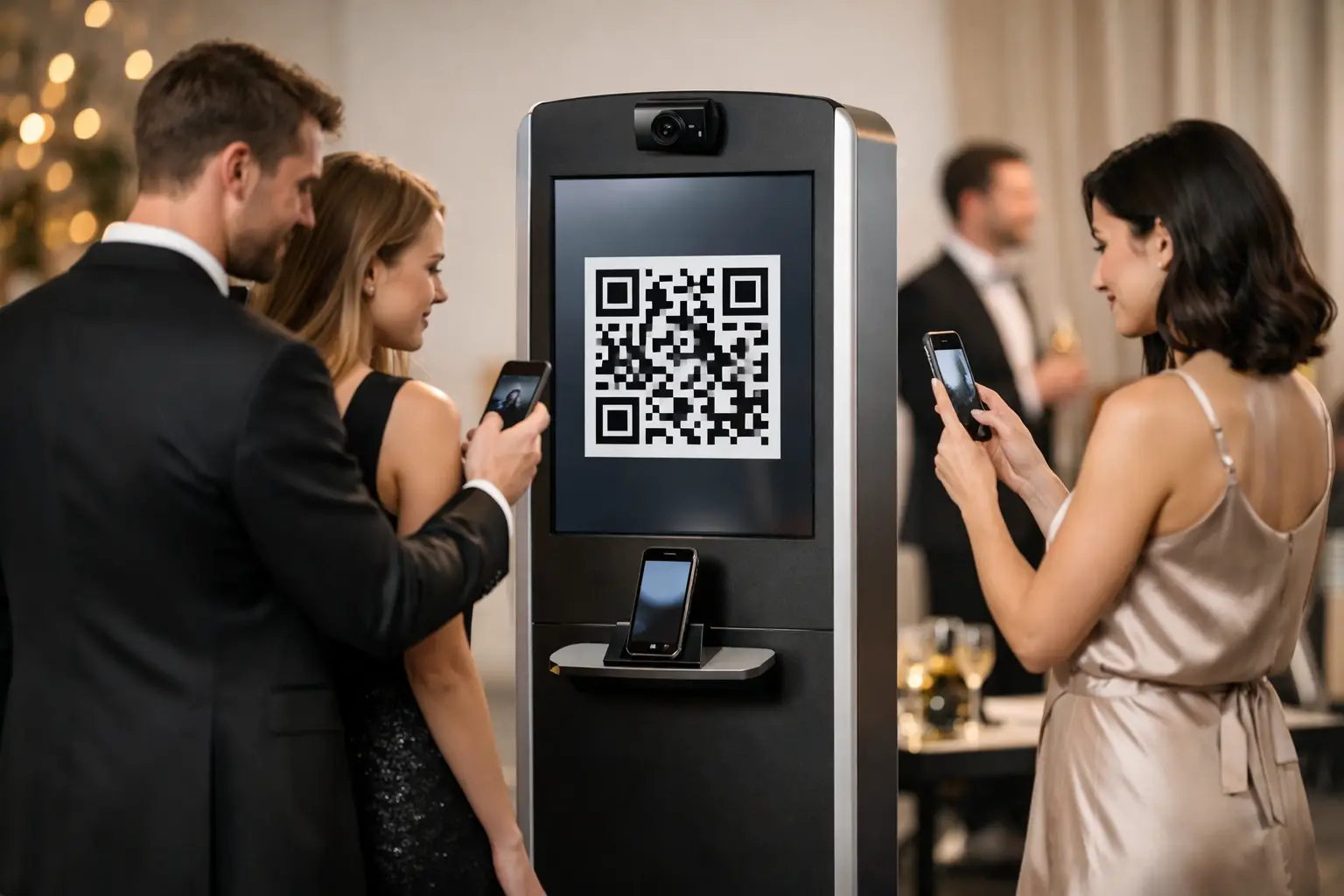
After the photograph or video is created, a QR code appears on the screen. The guest scans it with a phone and follows the link to the available content.
The process can reduce typing and keep the booth moving. However, successful QR sharing still depends on suitable software, venue connectivity and a clear guest journey.
How does an instant QR sharing booth work?
The exact process depends on the booth and sharing system. A typical guest journey includes the following steps:
- The guest creates a photograph, GIF or video.
- The booth processes the finished content.
- A QR code appears on the screen.
- The guest scans the code using a mobile phone camera.
- A download or sharing page opens on the device.
- The booth clears the session for the next group.
When configured correctly, guests can understand this process without lengthy instructions. A booth attendant can still assist anyone unfamiliar with QR codes.
Which types of content can be shared?
QR delivery may support several forms of booth content. Available options depend on the selected equipment and software.
These can include:
- still photographs;
- GIFs;
- boomerang-style animations;
- short branded videos;
- 360 booth clips; and
- AI-transformed images.
A static photograph may also be available as a print, while animated content will normally require digital delivery.
Before booking, confirm which formats can be delivered by QR code and whether guests can download the original file directly.
Why QR sharing can improve guest flow
Traditional digital delivery may require guests to enter an email address or telephone number. This can take time, particularly when several people are waiting.
A QR code can shorten the process because guests scan it using their own devices. They can then move away from the booth while reviewing or saving the content.
This approach may help:
- reduce time spent typing at the booth;
- keep the main photography area clear;
- move larger guest numbers through the experience;
- reduce errors in contact details; and
- give guests immediate access to their content.
A separate sharing screen or station may provide additional support at high-volume events. This allows the next group to begin while previous guests collect their images.
Does QR sharing require internet access?
QR sharing may depend on internet access at the booth, on the guest’s phone or on both. The requirements vary between systems.
Venue Wi-Fi and mobile signal can be unreliable in basements, rural venues, historic buildings and crowded event spaces. Therefore, connectivity should be discussed before the event.
Ask the supplier:
- whether the booth requires venue Wi-Fi;
- if the system provides its own connection;
- whether guests need mobile data;
- what happens when the signal is weak;
- if content can be delivered later; and
- whether another sharing method is available as backup.
QR technology should not be presented as instant in every possible condition. The supplier needs a realistic plan for the venue.
QR sharing at weddings
Wedding guests often want both a physical keepsake and a digital version of their photograph.
A QR sharing option allows guests to save an image to their phone during the reception. They may send it to family members, share it privately or keep it alongside other photographs from the day.
Prints can still provide a separate physical reminder. Using both formats gives different generations a choice without treating digital delivery as a replacement for the printed photograph.
The booth should open at a suitable time. QR sharing will not create participation if the booth operates while guests are eating, listening to speeches or focused on the first dance.
Couples can compare the available formats on our wedding photo booth hire page.
QR sharing at parties and proms
At birthdays, proms and seasonal parties, guests often want quick access to photographs and short videos.
QR delivery supports this faster pace. Guests can create their content, scan the screen and return to the wider event.
It can be particularly useful for:
- 360 booth videos;
- group photographs;
- GIFs and animations;
- custom filters; and
- themed digital overlays.
The content still needs suitable lighting and a clear design. Fast delivery does not compensate for a poorly prepared photograph or video.
QR sharing at corporate events
A corporate photo booth may use QR delivery at launches, conferences, exhibitions, awards evenings and staff celebrations.
Guests can receive branded content without remaining beside the booth for an extended period. This is useful during short conference breaks and busy reception periods.
Corporate designs may include:
- an event logo;
- campaign colours;
- a product or launch identity;
- a branded video frame;
- an approved call to action; or
- event-specific AI artwork.
The design should keep the guest visible and avoid turning the finished content into a crowded advertisement.
Businesses can explore our corporate photo booth experiences, including selected digital and QR-sharing options.
Does QR sharing collect guest information?
Scanning a QR code does not always require the guest to enter personal information. The exact process depends on how the sharing page and event campaign have been configured.
If the organiser wants to collect email addresses, marketing consent or other information, this should be planned separately and explained clearly.
Before the event, confirm:
- whether guests must enter any personal information;
- why the information is collected;
- how consent will be presented;
- who can access the data;
- how long it will be retained; and
- whether the guest can receive the image without agreeing to marketing.
Image delivery should not automatically enrol a guest into unrelated promotional messages.
Protecting access to guest content
The sharing journey should prevent one group from accidentally accessing another group’s content. The booth should also clear the QR code before the next session begins.
Ask how the system handles:
- individual download links;
- session changes;
- link expiry;
- gallery access;
- content retention; and
- deletion after the event.
For corporate and private events, these settings should match the organiser’s requirements and the type of content being created.
QR sharing compared with email delivery
Email delivery can provide a familiar way to receive a photograph. However, it requires the guest to type an address correctly.
QR sharing can reduce this step. The guest scans the screen and opens the content using a personal device.
Email may still be useful when:
- the guest wants a copy sent for later;
- the event requires an agreed delivery record;
- the content is not ready immediately; or
- the venue connection makes direct downloading difficult.
Some events can offer more than one method. The best choice depends on the software, guest numbers and campaign requirements.
QR sharing compared with instant prints
A QR code and a print provide different benefits.
The print is a physical keepsake that does not require a phone or internet connection. QR sharing provides access to a digital file that guests can save or share.
For weddings, awards evenings and milestone celebrations, using both can create a complete experience. Guests receive something to take home and a convenient digital version.
Our instant print photo booth guide explains how printed delivery works at events.
Which booths can use QR sharing?
QR sharing may be available with selected Selfie Pod, photo booth and 360 video configurations. It should not be assumed to be included with every package.
A Selfie Pod can support a compact digital experience in smaller venues. A 360 booth uses digital delivery because the finished output is a video. Other photo booths may combine QR access with instant printing.
Ask the supplier to confirm:
- whether QR sharing is available with the chosen booth;
- which content formats it supports;
- whether guests can download directly;
- what internet connection is required; and
- which alternative delivery methods are available.
How an attendant supports QR delivery
The process may be simple, but some guests will still need help. A booth attendant can explain how to scan the code and show guests where the downloaded content appears.
The attendant can also keep the booth moving by:
- preparing the next group;
- directing guests away from the capture area after scanning;
- checking that each session has cleared;
- supporting guests with older devices; and
- using the agreed backup process when necessary.
This support is valuable at events with mixed-age audiences or short periods of heavy demand.
Questions to ask before booking QR sharing
Before confirming the experience, ask:
- Which booths support QR sharing?
- Which photographs or videos can guests receive?
- Does the venue need to provide Wi-Fi?
- Do guests need mobile data?
- What happens if the connection fails?
- Does scanning require personal information?
- How long do download links remain active?
- Is an online gallery also available?
- Can prints be included?
- Will an attendant help guests?
Is an instant QR sharing booth right for your event?
QR sharing is useful when guests want quick digital access and the booth needs to maintain a steady flow. It can support weddings, parties, proms, conferences and corporate activations.
The feature works best when the venue connection, sharing process and privacy settings have been checked in advance.
Gatwick Sound Photo Booth provides hosted photo and video experiences across London, Sussex, Surrey and Kent. QR delivery is available with selected setups and can be discussed as part of the event plan.
To check which sharing options suit your venue and chosen booth, Get a Quote.