12 Corporate Photo Booth Branding Examples
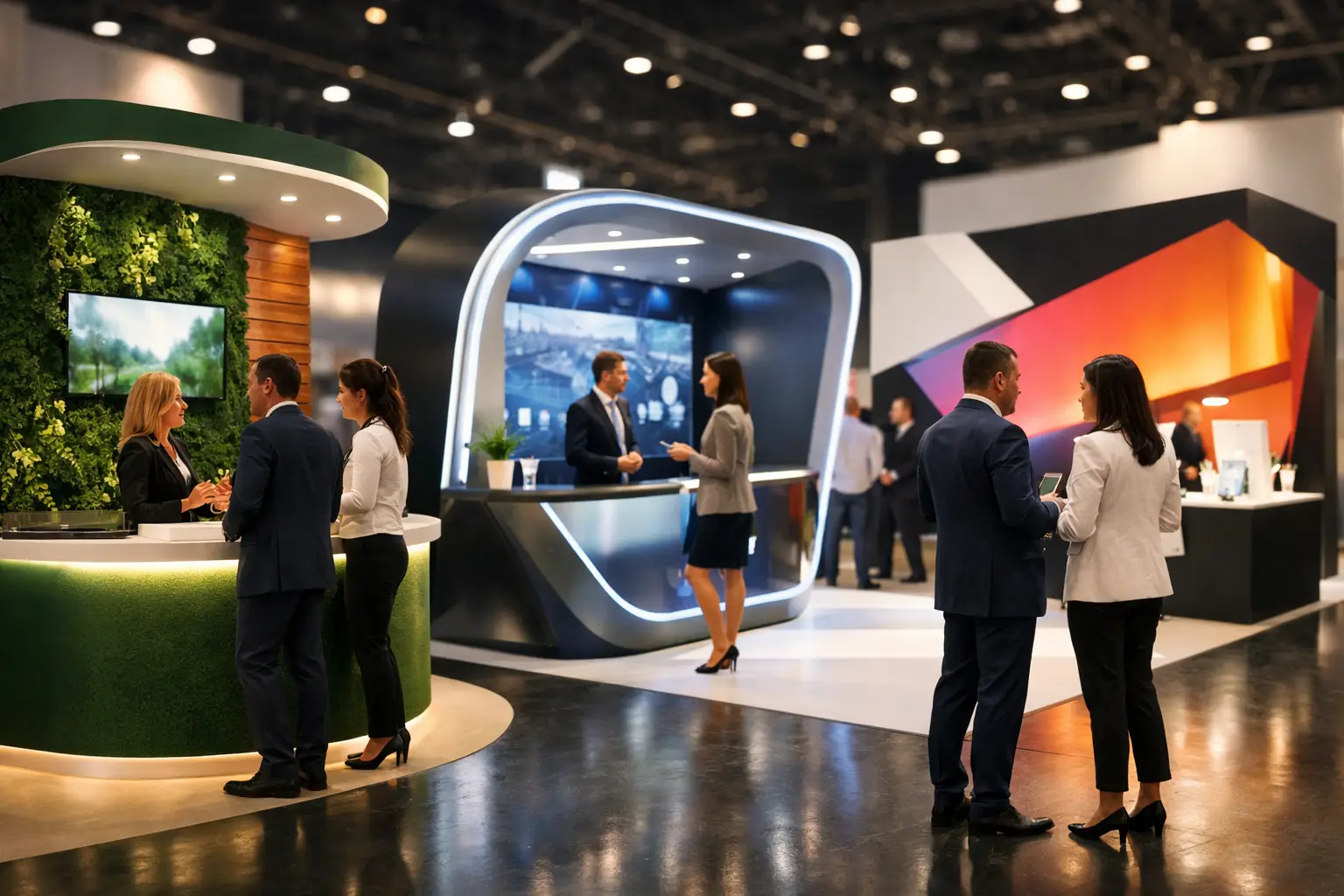
Effective corporate photo booth branding is more than placing a company logo on every photograph. The booth, background, screen journey and finished content should work together without making guests feel as though they have stepped into an advertisement.
The right approach depends on the event. An awards dinner may need restrained branding and printed keepsakes. A product launch can support stronger campaign graphics, while an exhibition may focus on quick digital content and consent-based lead capture.
These corporate photo booth branding examples show how different elements can be combined around the audience, venue and event objective.
1. Branded print templates
A customised print template is one of the simplest ways to connect a photo booth with a corporate event. The design can include a company logo, event name, date, campaign colours or a short message.
The photograph should remain the main feature. Large logos and excessive text reduce the space available for guests and make the print less attractive as a keepsake.
A clean print design works particularly well for:
- awards dinners;
- company anniversaries;
- staff celebrations;
- client receptions; and
- corporate Christmas parties.
Templates should be checked at their finished print size. Small text that appears clear on a computer may be difficult to read once printed.
2. Campaign-specific photo overlays
A product launch or short-term campaign may need branding that differs from the company’s everyday identity. A digital overlay can use the campaign colours, launch message or event hashtag while keeping the company logo in a supporting position.
This allows the content to relate directly to the occasion. It also helps marketing teams separate campaign photographs from general corporate event images.
The overlay should be designed for the intended format. A square social image needs different spacing from a traditional photo strip or landscape email image.
3. AI backgrounds linked to the campaign
AI background replacement can place guests into different branded or themed scenes without building several physical sets. One event can offer multiple visual choices while using the same booth footprint.
Examples could include:
- a campaign environment;
- a city or destination connected with the event;
- a seasonal scene;
- a product-inspired setting; or
- a visual interpretation of the company’s industry.
The strongest backgrounds leave clear space around guests and avoid placing important graphics where people will stand. The finished result should still look balanced when viewed on a mobile phone.
Real corporate work at events such as the World Finance Forum and GS1 has shown how interactive visual content can give delegates a reason to stop between presentations and conversations.
4. Branded Selfie Pod screens
A Selfie Pod can use customised idle screens, welcome graphics and on-screen instructions. This extends the branding beyond the final photograph.
The idle screen can introduce the activity from a distance. Once guests approach, the start screen should explain the process in a few words. Complicated instructions can slow participation and create queues.
This approach suits conferences, exhibitions and reception areas because the pod has a relatively compact footprint. It can also use LumaBooth filters, digital overlays and gallery delivery to create a connected experience.
5. Subtle branding for awards evenings
At a formal awards event, restraint is often more effective than a heavily branded set. The booth can use approved colours and a discreet logo while the print or digital frame carries the event name and date.
A plain or textured background may photograph better than a wall filled with repeated logos. It also allows evening wear and group photographs to remain the focus.
A Magic Mirror can suit this type of event because its full-length format creates an open experience and allows guests to see their pose before each photograph.
6. A step-and-repeat backdrop
A step-and-repeat wall repeats one or more logos across a backdrop. It can work well for media-style photographs, sponsor events and formal arrivals.
The scale of the pattern matters. If the logos are too small, they may disappear in wide group photographs. If they are too large, only part of each mark may remain visible behind guests.
Before production, check:
- the expected group size;
- the booth camera framing;
- the finished backdrop dimensions;
- logo contrast;
- lighting and reflections; and
- the distance between guests and the background.
A test image or digital mock-up can help identify problems before the event.
7. An immersive branded set
Some campaigns need more than a printed background. An immersive set can use furniture, product displays, lighting, physical props and branded scenery to create a recognisable environment.
This approach can suit launches, fashion events and larger client activations. Guests feel as though they are entering part of the campaign rather than standing in front of a promotional wall.
However, an immersive set needs sufficient space and installation time. It should only be used when the venue and campaign justify the additional build.
8. Branded 360 video content
A 360 booth provides several areas for branding. These can include the platform surround, video overlay, opening graphic, closing frame and sharing screen.
The guest should remain the main subject of the clip. Too many animated logos, stickers and messages can make the video feel cluttered.
A simple design might use:
- a short branded opening;
- a clear frame or corner logo;
- one visual effect;
- an event hashtag; and
- a brief closing message.
This format is most appropriate when the audience is comfortable creating movement-led content. It can work well for launches, celebrations and events where social sharing is an important objective.
9. Branded props and campaign prompts
Random novelty props can weaken an otherwise coordinated corporate setup. Custom prompts and carefully selected accessories usually produce more relevant content.
A sales conference could use signs based on team values or campaign phrases. A recruitment event might include role-related prompts. A company celebration could use details connected with its history or achievements.
Props should be easy to read in photographs and comfortable for guests to hold. A small, coordinated collection is often more effective than a large table of unrelated items.
10. Co-branded partner events
Events involving sponsors or partner organisations need a clear branding hierarchy. Giving every logo the same prominence in every position can make the final design difficult to read.
A co-branded setup can use:
- one shared event identity;
- a lead and supporting logo;
- alternating logos on the backdrop;
- a balanced print footer; or
- separate campaign elements on different screens.
Every organisation should approve the design before production. This helps prevent last-minute changes to logos, colours or positioning.
11. A branded digital gallery
The experience can continue after guests leave the booth. A customised online gallery can use the event name, logo and approved colours while providing access to photographs or videos.
Gallery settings should be agreed before the event. Some organisers may want a private collection, while others may choose to make selected images available to guests.
The process should also respect guest privacy. If the booth collects email addresses, image delivery should remain separate from consent for future marketing.
12. Interactive questions and data capture
At an exhibition or conference, the booth can ask a short question before delivering the content. This could relate to the campaign, event theme or visitor interests.
Keep the interaction short and optional. Long forms create queues and reduce the number of people willing to participate.
If personal information is collected, guests should be told:
- what information is required;
- why it is being collected;
- how it will be used;
- whether it will be shared; and
- how long it will be retained.
Data capture should support the experience rather than becoming an obstacle between the guest and their photograph.
Choose branding around the event objective
Not every corporate event needs every branding option. Select the elements that support the purpose of the booking.
For an internal celebration, attractive prints and a coordinated screen may be enough. A product launch may benefit from AI backgrounds and digital overlays. An exhibition could prioritise fast sharing, campaign messaging and transparent data capture.
The venue also affects what is possible. A large branded set may work in an exhibition hall but overwhelm a small reception space. Booth location, lighting and guest flow should be considered alongside the graphic design.
Keep the content useful after the event
The photographs and videos may appear in internal communications, social media posts and event recaps. They should therefore remain clear and recognisable after the physical branding has been removed.
Before the event, test how the content looks:
- on a mobile phone;
- as a social media post;
- in a digital gallery;
- on a printed photograph; and
- inside an internal presentation or newsletter.
This ensures the branding works beyond the room itself.
Build the branding around guest participation
The strongest corporate booth branding gives guests something enjoyable to do while producing content that fits the event. Branding should make the experience feel coordinated, not make people feel pressured to promote the company.
Gatwick Sound Photo Booth provides corporate photo booth experiences across London, Sussex, Surrey and Kent. Available options include branded prints, customised screens, digital overlays, AI backgrounds, LumaBooth filters, online galleries and 360 video content.
To discuss suitable branding for your event and venue, get a custom quote.