
Magic Mirror Booth Hire Requirements and Setup
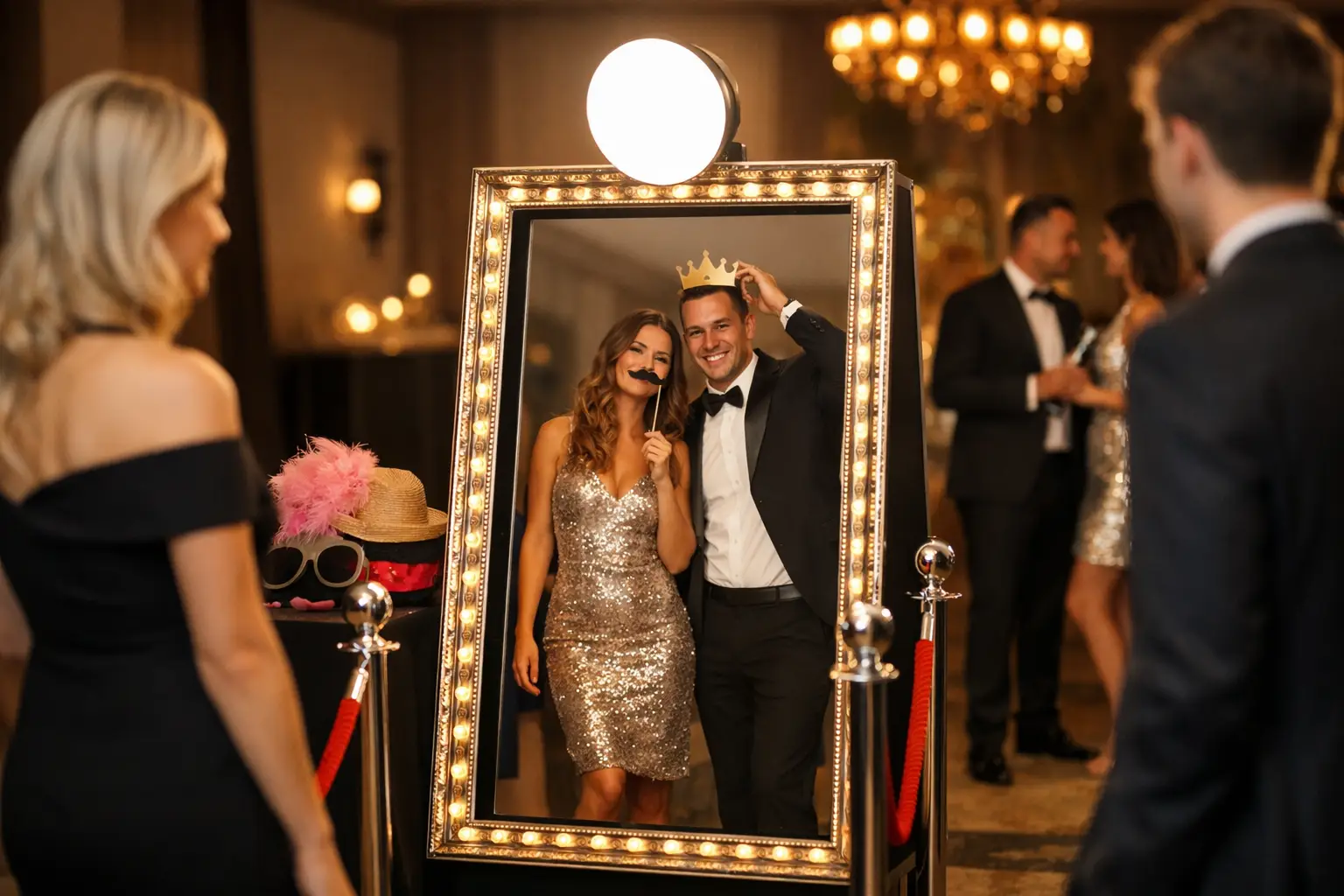
A Magic Mirror can look simple once it is ready for guests, but installing it requires more planning than placing a small camera in the corner of a room. Venue access, floor space, power and the route from the vehicle can all affect whether the setup is suitable.
These details should be checked before confirming magic mirror booth hire. Early planning helps avoid delays and ensures the booth can be installed safely without disrupting the venue or the event schedule.
How much space does a Magic Mirror need?
The mirror itself is only one part of the setup. Guests need enough distance to see their full reflection and pose comfortably. There may also be a backdrop, lighting, a printer station and a table for props or completed prints.
Space should also be allowed for:
- small groups posing together;
- guests waiting for their turn;
- the booth attendant;
- safe cable management;
- access to the printer; and
- people moving through the venue.
The exact footprint depends on the mirror model and whether a backdrop is included. Therefore, organisers should share photographs or a floor plan with the supplier rather than estimating the space from promotional images.
Why the route into the venue matters
A full-size Magic Mirror is larger and more difficult to transport than a compact Selfie Pod. The route from the unloading point to the final booth position must be suitable for the equipment.
Before the event, confirm:
- where the supplier can park or unload;
- how far the equipment must be moved;
- whether the route includes steps;
- the width of doors and corridors;
- whether a suitable lift is available;
- any low ceilings or tight corners; and
- restrictions on equipment movement through public areas.
A venue may describe itself as accessible while still having a narrow service corridor or a small lift. For that reason, exact information is more useful than a general assurance.
If access is uncertain, photographs and measurements can help the supplier assess the route before arrival. A site visit may be appropriate for a complex venue or a particularly restricted installation.
Allow enough time for installation
The booth should be installed and tested before guests begin using the surrounding area. Setup includes more than positioning the mirror. The attendant may also need to arrange lighting, connect the printer, test the touchscreen and confirm the customised design.
If the room is being used for a ceremony, wedding breakfast or conference session earlier in the day, the available setup window needs careful planning. Venue staff may also be resetting tables or moving catering equipment at the same time.
Ask the venue when suppliers can enter the room and whether access routes will remain clear. A short turnaround may require a different booth position or an earlier installation.
Choose a firm and level floor
A Magic Mirror should stand on a stable, level surface. Uneven flooring can affect the appearance and safe positioning of the equipment.
Most hotel, conference and function-room floors are suitable. However, temporary flooring, thick rugs, outdoor surfaces and historic venues may need further assessment.
The installation area should be dry and protected from unexpected contact with doors, trolleys or other event equipment. It should not sit where guests regularly move between the bar, toilets, dining room or dance floor.
Confirm the power supply
The booth, lighting and printer require access to a suitable power supply. The supplier should confirm the requirements for the specific setup.
Ideally, power should be available near the booth position. Long cables across guest routes should be avoided. Where cables are necessary, they need to be secured and managed safely.
Do not assume that a nearby wall socket will be available. Venues may reserve certain circuits for catering, sound or lighting equipment. The event coordinator should confirm which connection the booth can use.
Check the internet connection
A Magic Mirror can usually continue taking photographs without a live internet connection. However, digital sharing may depend on venue Wi-Fi or mobile signal.
Internet access can affect:
- email delivery;
- digital image sharing;
- online gallery updates; and
- some remote support functions.
Venue guest Wi-Fi may require a browser login or disconnect devices after a short period. It may also become slower when many guests connect at once.
If immediate sharing is important, test the connection near the planned booth position. When reliable access is unavailable, images may need to be queued and delivered once a connection becomes available.
Plan the backdrop position
A backdrop gives photographs a consistent appearance, but it increases the depth and width of the setup. It also needs a suitable surface and enough clearance around its supporting structure.
The backdrop should not cover venue signs, emergency equipment or access points. It should also remain clear of doors, curtains and areas used by staff.
Lighting and nearby windows can affect the finished photographs. Direct sunlight may change during the event, while reflective surfaces can produce unwanted highlights. Share details of the room and operating time with the supplier so the position can be planned properly.
Protect the guest flow
A Magic Mirror attracts attention because the activity remains visible to the room. This is useful for encouraging participation, but it can also create a group of spectators around the booth.
The installation should provide separate space for posing and waiting. Guests who have finished should be able to collect their prints without crossing in front of the next group.
A good position is usually:
- visible from the main event area;
- close enough for guests to find easily;
- away from catering and service routes;
- clear of entrances and fire exits; and
- separate from the main dance floor.
The mirror should feel connected to the celebration without creating congestion.
Consider sound and lighting
The touchscreen experience may include prompts, animations and sound. At a busy party, the booth should remain easy to use without competing with the DJ or live entertainment.
Positioning it directly beside a loud speaker can make instructions harder to follow. It may also discourage guests who want a calmer place to take photographs.
Existing venue lighting should also be considered. A booth attendant can manage the dedicated lighting, but strong coloured lights or moving effects nearby may influence the photographs.
Plan the operating time around the event
The booth should open when guests are available to use it. Running it through speeches, awards or a formal presentation may reduce participation and create unnecessary background activity.
At a wedding, the booth may work well after dinner or during the transition to the evening reception. For a company event, it could open during arrivals, after an awards ceremony or once the formal programme has finished.
If the room needs to be changed between different parts of the event, confirm when the booth can be installed and when the attendant should begin operating it.
Check whether prints and a guestbook are included
A Magic Mirror may provide printed photographs, digital copies or both. If prints are included, space will be needed for the printer and for guests to collect them.
At weddings, a guestbook can give people somewhere to add a copy of their photograph and write a message. The guestbook station should be positioned close to the booth without restricting the queue.
For corporate events, customised print templates and digital overlays can include approved branding. These designs should be checked before the event to confirm names, dates, colours and logo placement.
Use an attendant throughout the hire
A full-size Magic Mirror works best as a hosted experience. The attendant can explain the controls, organise groups and keep the area ready for the next guests.
They can also monitor the equipment, replace print media and manage queues. This is especially valuable at busy weddings and corporate events where the organiser should not need to supervise the booth.
The attendant should have access to the setup throughout the operating period. Avoid placing furniture, gifts or venue equipment where it could restrict their working area.
Questions to ask the venue
Before confirming the booking, ask the venue:
- What time can the booth supplier arrive?
- Where can equipment be unloaded?
- Are there stairs, narrow doors or restricted corridors?
- Is a suitable lift available?
- Where can the booth connect to power?
- Is Wi-Fi available in the event room?
- Are there restrictions on backdrops or floor coverings?
- When must the equipment be removed?
Providing these answers to the supplier early makes it easier to confirm the correct setup.
Questions to ask the booth supplier
The supplier should explain:
- the total working footprint;
- the minimum access requirements;
- how long installation takes;
- whether a backdrop is included;
- what power and internet access are needed;
- whether prints and digital sharing are available;
- how many attendants will be present; and
- how the equipment will be removed after the event.
Real photographs from previous events can also show how the mirror looks in different types of venue.
Prepare the venue before the event
Magic mirror booth hire is straightforward when access and space have been confirmed in advance. The most important step is sharing accurate venue information before the booking is finalised.
Gatwick Sound Photo Booth provides hosted Magic Mirror hire for weddings, parties and corporate events across London, Sussex, Surrey and Kent. Setup requirements are reviewed with the organiser so the booth can be positioned appropriately for the venue and guest flow.
To discuss your venue, access route and event schedule, get a custom quote.